


IN THIS STORY
GearUP Booster at a glanceWhat is a network game booster?How does GearUP work?Does GearUP really lower ping?Ping is not the only metric that mattersWhat GearUP cannot fixGearUP Booster vs. VPN: what's the difference?Does GearUP work with Valorant, CS2, Fortnite and other games?Does GearUP work on consoles?What about Steam Deck and mobile?Can GearUP help when playing in another region?How to test GearUP properlyWhen does trying GearUP make the most sense?When is it probably not worth it?Is GearUP Booster worth it in 2026?GearUP Booster FAQDoes GearUP Booster really reduce ping?Does GearUP increase FPS?Is GearUP a VPN?Does GearUP work on PS5 and Xbox?Does GearUP work on Nintendo Switch?Does GearUP have a free trial?Can GearUP eliminate all lag?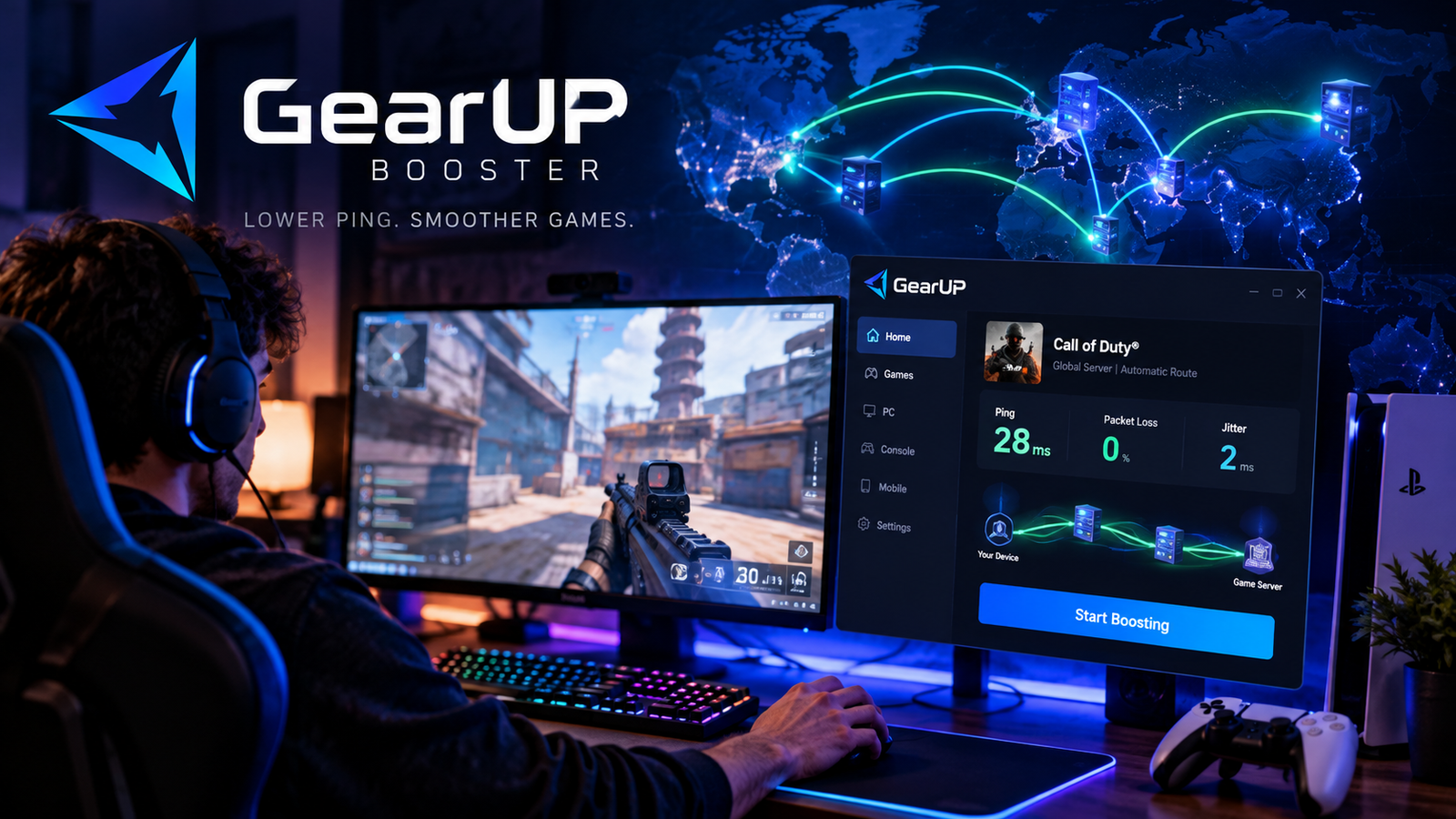
High ping can ruin a competitive match, but paying for a faster internet plan does not always solve the problem. Between your PC or console and the game server are multiple networks, routes and interconnections — and the path selected by your ISP is not always ideal for real-time game traffic.
That is the problem GearUP Booster attempts to address. Rather than changing the game or magically increasing your internet plan's speed, the service tries to route game traffic through optimized alternative paths.
This means GearUP can help on certain connections, particularly when there is a poor route between an ISP and a game server. It also means it cannot guarantee lower ping for every player. If your normal route is already efficient, the difference may be small or nonexistent.
This article contains affiliate links. Players Realm may earn a commission if you subscribe through them, at no additional cost to you. This does not affect our editorial analysis.
GearUP Booster at a glance
GearUP is a connection-optimization service dedicated to gaming. The company says it supports more than 3,000 games and provides solutions for Windows, mobile devices, PlayStation, Xbox, Nintendo Switch, Steam Deck, PICO and Oculus Quest, although setup differs by platform.
Its core technology is called Adaptive Intelligent Routing, or AIR. The idea is to evaluate available network paths and direct game traffic through a route considered more efficient.
GearUP offers a trial. Its user agreement says a trial may last three days or another period specified during signup. When a trial is attached to a subscription, billing may begin when that period ends unless the user cancels beforehand. Always check the conditions displayed for your account.
What is a network game booster?
The name can be confusing. This type of game booster does not increase FPS, upgrade your GPU or make your processor faster.
Its job happens at the network level.
When you play online, small packets of data continuously travel between your device and the game's server. Those packets cross a chain of networks before reaching their destination.
The path is not necessarily the shortest or most stable one available. Congestion, routing decisions and interconnections between network operators can cause traffic to take a less efficient route.
A service such as GearUP attempts to insert an optimized route into that process.
How does GearUP work?
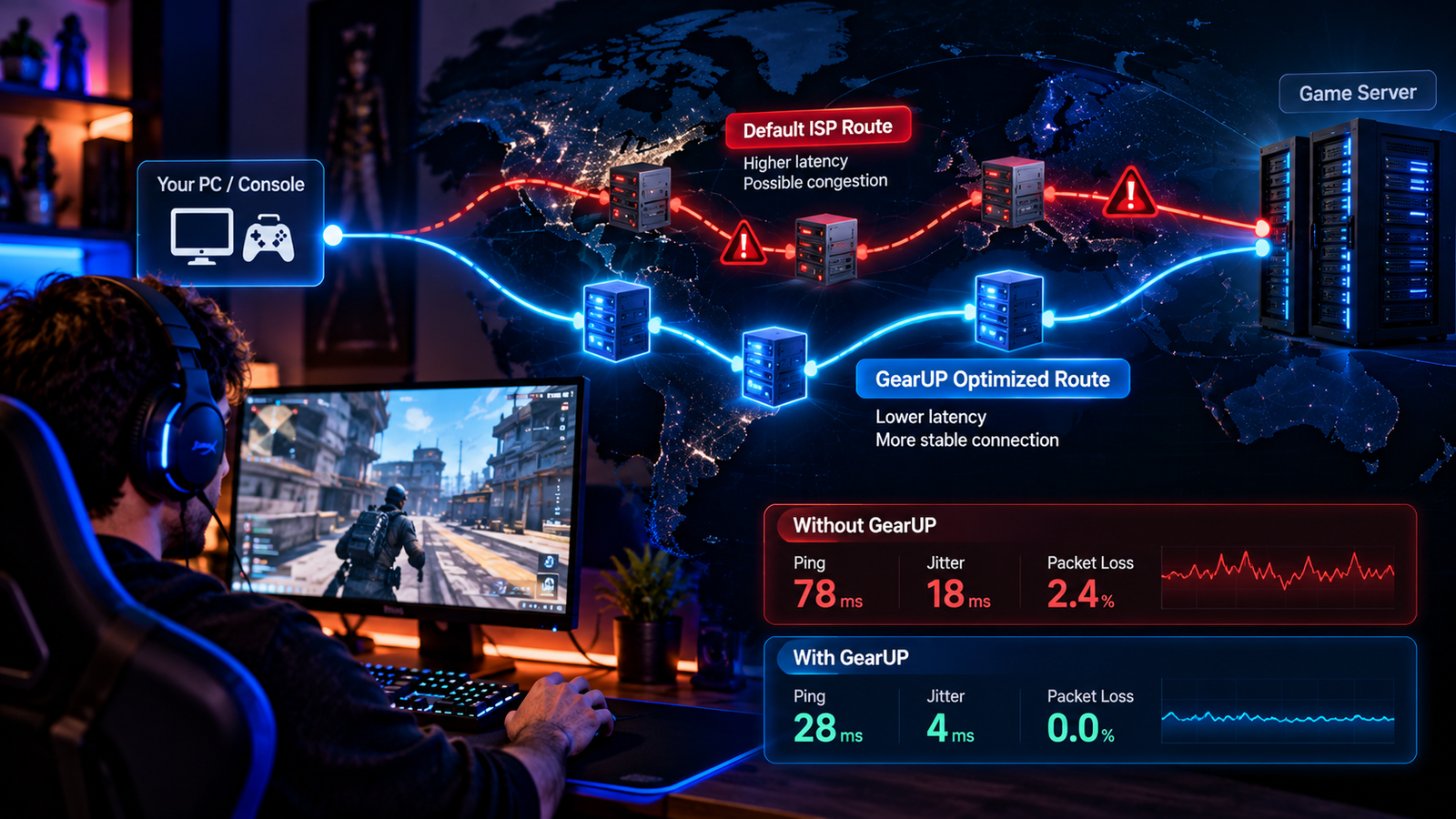
According to GearUP, its AIR technology selects routes for game traffic with the goal of avoiding congested paths and improving the connection to the server.
On Windows, the basic process is straightforward: select the game, choose the desired server or region when applicable, start the boost and then launch the game. The software determines a route based on your location and selected destination.
The important point is what is actually changing: the game server remains the same. GearUP is attempting to change the path used to reach it.
That principle is similar to why two people in the same city using different ISPs can record different latency to the same game server.
Does GearUP really lower ping?
It can. That does not mean it will on every connection.
The result depends on the difference between the route normally used by your ISP and the route GearUP can provide.
Imagine that your normal connection takes an unnecessarily long or congested path before reaching the game server. If GearUP finds a better route, there is room to reduce latency or improve stability.
Now imagine your ISP already uses an excellent, direct route. There is much less room for optimization in that scenario.
For that reason, results published by the manufacturer or obtained by another player should not be treated as a promise for your own connection. Location, ISP, time of day, game, server region and network conditions all affect the result.
The best way to find out is to compare the same connection, game and server with and without the service during the available trial.
Ping is not the only metric that matters
It is easy to focus on a single ping number, but a gaming connection has other important variables.
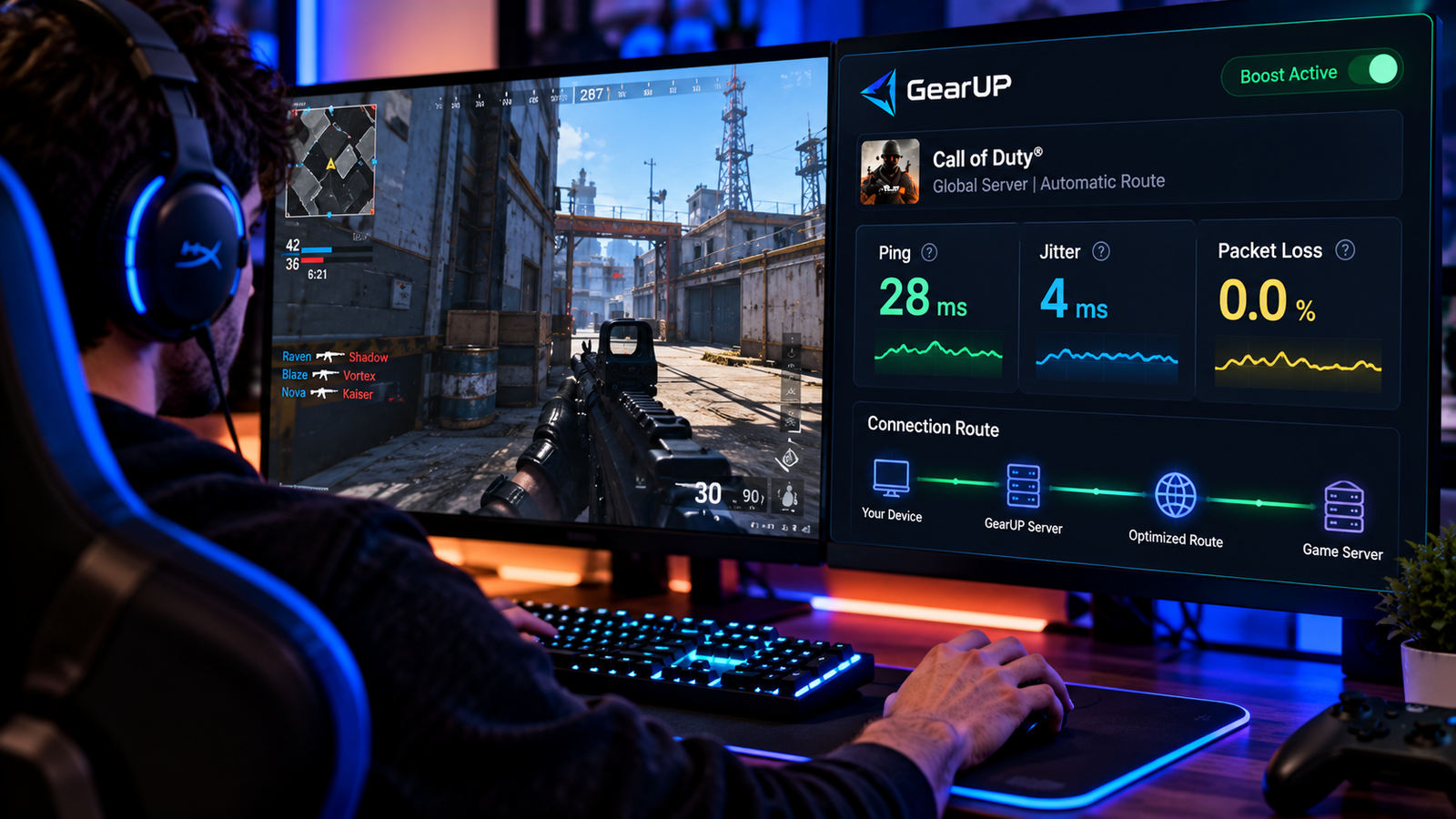
Jitter describes how latency varies over time. A connection constantly swinging between very different response times can feel worse than one with slightly higher but stable latency.
Packet loss occurs when some data fails to reach its destination correctly. In online games, that can contribute to apparent teleporting, inputs that seem not to register and other network-related behavior.
GearUP says its optimization also targets packet loss, jitter and cross-region instability.
What GearUP cannot fix
A game booster cannot repair every internet problem.
If Wi-Fi inside your home is congested, changing the external route does not necessarily eliminate wireless interference.
If another device is saturating your connection with uploads or downloads and your router handles queues poorly, the bottleneck may also exist inside your own network.
If the game server itself is overloaded, an alternative route cannot make that server process data faster.
There is also a physical floor to latency. The farther you are from the server, the longer data needs to travel. Better routing can avoid unnecessary detours, but it cannot eliminate geographic distance.
GearUP Booster vs. VPN: what's the difference?
There is some superficial similarity because both can send traffic through intermediate infrastructure, but their primary goals differ.
A traditional VPN is primarily designed to create an encrypted tunnel and provide privacy and security benefits. It can occasionally improve a poor route, but lower ping is not guaranteed and the tunnel can add latency.
GearUP is presented specifically as a gaming connection-optimization service. Its focus is selecting routes for game traffic rather than acting as a general privacy solution for all browsing.
GearUP and a VPN therefore should not be treated as equivalent products. Choose based on the problem you actually need to solve.
Does GearUP work with Valorant, CS2, Fortnite and other games?
GearUP's official website lists thousands of supported games and currently highlights titles including Valorant, Counter-Strike 2, Fortnite, Apex Legends, League of Legends, PUBG: Battlegrounds, Dota 2, Escape from Tarkov, AION 2 and others.
The catalog changes, so support for a specific game or platform should be confirmed directly on the official list before subscribing.
A game's presence in GearUP's catalog also does not necessarily mean its developer or publisher endorses the service. GearUP's supported-games page states that its latency-management products are independent from the listed developers and publishers unless a specific partnership is explicitly identified.
Does GearUP work on consoles?
Yes, GearUP provides console solutions, but implementation differs from simply installing the Windows application on a console.
The official site lists PlayStation, Xbox and Nintendo Switch and presents network-optimization methods involving compatible networking solutions, including selected routers and the company's HYPEREV hardware.
Console players should therefore verify the required setup for their equipment before paying for a subscription expecting the same installation process available on PC.
What about Steam Deck and mobile?
GearUP also lists Steam Deck, iOS and Android among its supported platforms, along with devices including PICO and Oculus Quest.
Again, availability, application and setup method can vary by device. Check the relevant platform page for the hardware you intend to use.
Can GearUP help when playing in another region?
This is one scenario where route optimization can be particularly interesting.
Cross-region connections travel farther and can cross more networks. If an ISP's default path is inefficient, an alternative route may improve the situation.
But no technology can turn a physically distant server into a local one. A player in Brazil connecting to a server located far away, for example, remains subject to latency created by physical distance even with a more efficient route.
The realistic objective is finding a better path — not eliminating the laws of physics.
How to test GearUP properly
Do not judge the service by comparing one match without GearUP in the morning with another using GearUP at night. Internet conditions can change throughout the day.
Test the same game, same server region and similar times.
Watch average ping, latency variation, packet loss and, most importantly, perceived stability during actual gameplay.
Repeat the comparison across several sessions. One match is not enough evidence to determine whether routing consistently improved.
If GearUP produces a repeatable improvement on your connection, there is a technical reason to consider paying for it. If the numbers remain effectively unchanged, your original route may already be good or the bottleneck may exist somewhere else.
When does trying GearUP make the most sense?
The service is most interesting when you have abnormally high ping to a server that should be reasonably close, experience unstable routes, see packet loss outside your home network or frequently play on servers in another region.
It can also be relevant to competitive players who value small but consistent improvements in connection stability.
When is it probably not worth it?
If your connection already has low, stable latency with no packet loss in the games you play, there may be little room for a routing service to improve the experience.
It also would not be our first recommendation when the problem clearly occurs inside the home. Before paying for any game booster, test Ethernet, restart and properly configure the router, investigate Wi-Fi congestion and make sure other devices are not saturating the connection.
A game booster should address a routing problem, not replace a healthy home network.
Is GearUP Booster worth it in 2026?
GearUP makes the most sense as a diagnostic and potential optimization tool, not as a universal promise of lower ping.
The principle behind the product is technically reasonable: internet routes can be inefficient, and changing the path to a server can produce a better connection when a superior alternative exists.
But the result is inherently individual. Two players using the same game can get completely different results because they live in different cities, use different ISPs and travel across different network routes.
Our recommendation is therefore straightforward: use the available trial, measure your connection properly and only consider paying if it produces a consistent improvement you can actually observe.
GearUP Booster FAQ
Does GearUP Booster really reduce ping?
It can reduce ping when it can provide a better route than the one normally used by your ISP. A reduction is not guaranteed on every connection.
Does GearUP increase FPS?
No. GearUP is focused on network connectivity. FPS problems relate to factors such as hardware, graphics settings, drivers and game performance.
Is GearUP a VPN?
It should not be treated as a traditional VPN. GearUP focuses on routing and optimizing game traffic, while traditional VPNs primarily provide a network tunnel with privacy and security features.
Does GearUP work on PS5 and Xbox?
GearUP provides solutions for PlayStation and Xbox, but setup differs from the Windows application and may involve compatible networking equipment or routers. Check the current requirements for your console.
Does GearUP work on Nintendo Switch?
Nintendo Switch is among the platforms listed by GearUP. Check GearUP's current console instructions for the required setup.
Does GearUP have a free trial?
GearUP advertises a free trial. Its user agreement specifies three days or another period shown during signup. Check the duration, subsequent price and conditions displayed for your account before starting.
Can GearUP eliminate all lag?
No. Lag can originate from Wi-Fi, local congestion, an ISP, physical distance, server problems, hardware and other factors. Route optimization addresses only part of that chain.